Look – I’m not a developer – I am saying it again. I’m a systems guy. An IT pro who’s spent years wrangling networks, hardware, and real-world tech stacks. But for the last month I’ve been deep in the trenches with GitHub Copilot, building actual tools, prototypes, and research setups using nothing but high-level prompts and “vibes.”
No hand-written algorithms. Just me describing what I want in plain English, guiding the AI, and watching it crank out code. And after nearly a month of this, a few things are crystal clear to me, well – most of it.
This is the vibe coding trend everyone’s talking about – that Andrej Karpathy half-joke that’s now very real. You don’t write code line-by-line; you vibe it into existence. And it’s equal parts magic and mayhem. I’ll admit, I legit googled “Vibe” coding like I am the old guy now not understanding the cool kids speak.
“A computer will do what you tell it to do, but that might be totally different from what you had in mind.” – Joseph Weizenbaum
Never has that been more true than when you’re vibe coding with GitHub Copilot.
If you are not careful, it’s like sliding around blind corners on pure feel in rally0, except the “car” is an AI that sometimes decides the trees look friendlier than the road. Inputs still matter.
The Wins – And Yeah, It’s Legit Magic
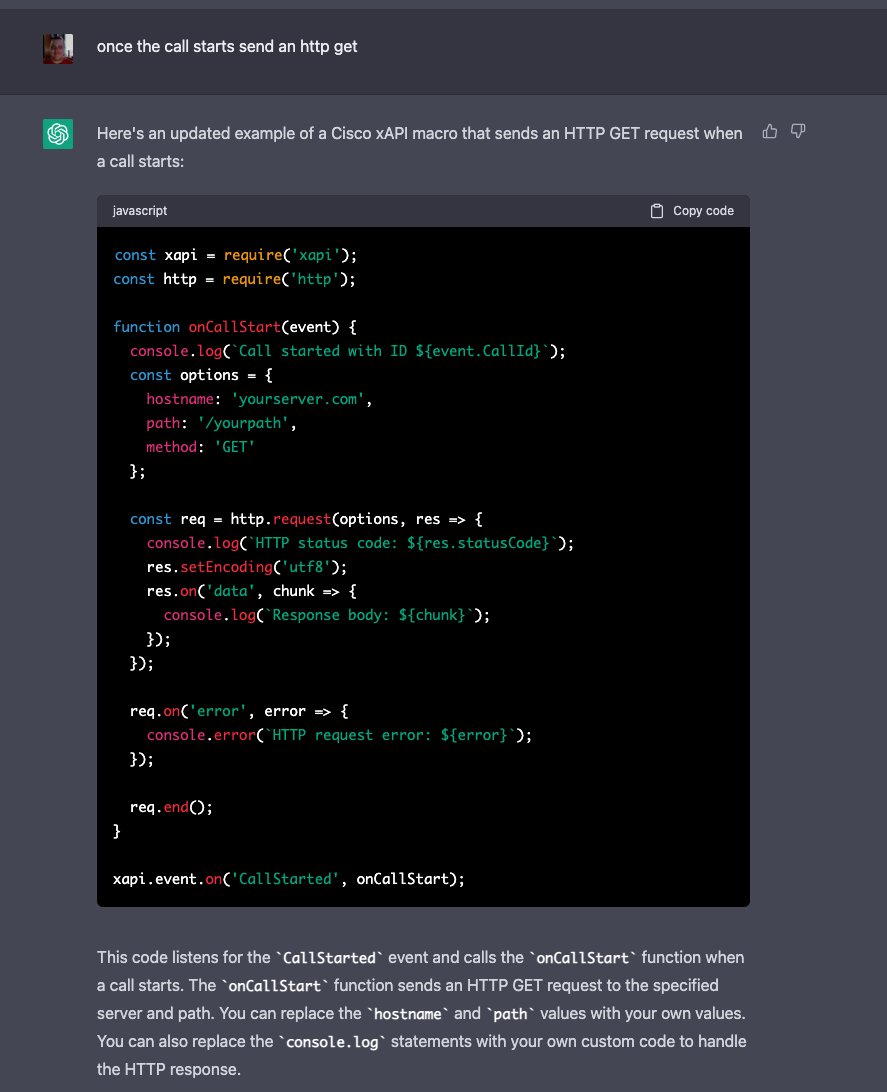
Here’s the honest truth: you can build remarkable things that previously would have required whole teams of developers. I’m talking full-featured tools, integrations, hardware testing rigs – stuff that would have taken weeks or months of coordinated effort. With Copilot, I’ve cranked out working prototypes in hours.
It’s game-changing for proof-of-concept work. Need to validate an idea fast? Describe the vibe, let it generate the scaffolding, tweak on the fly. Boom – POC done.
Same for code engineering and hardware testing research. I’ve been using it to spin up test environments, automate data flows, and prototype edge-case scenarios that I’d never have touched before. It’s fast. It’s powerful. It feels like having a tireless junior dev who never sleeps and actually listens when you redirect it.
I’m genuinely excited that I can try new things I have never done before and bring to life ideas that previously were only behind “if I only had time or skill for x” – and that’s great. But that’s me tinkering in my lab, not shipping to production.
This whole thing means my team has a force multiplier now – it’s like we just picked up 4-6 Jr developers to help us be more productive. For what we do, this is like adding twin turbos to a Subaru boxer engine…. As Cisco President and Chief Product Officer Jeetu Patel put it: “Being able to develop, debug, improve and manage code with AI is a force-multiplier for every company in every industry.” (Cisco Blogs, May 2025)
And yeah – it does feel like I’ve gone from a NA FWD Ford Focus rally car to a fire-spitting open-class AWD monster that I’m not ready for. Any minute I might brake too late into a chicane – and we all know what happens then: spectacular barrel roll, footage goes viral, and now your at the finish control shovelling snow out of the interior. Get in wrong and things can go bad fast – Ask my friend Crazy Leo Urlichich about this – warning, NSFW content.
Sorry off topic, but this tech democratizes building in a way nothing else has. Non-devs like me are suddenly shipping real stuff. That’s not hype – that’s my lived experience after a month straight of it. This isn’t stuff I would say “let’s go with it”
The Challenges – And These Aren’t Hypotheticals
Straight up: vibe coding isn’t some risk-free superpower. There are real problems, and they’re showing up in public, ugly ways.
We’ve already seen public instances of vibe coding gone horribly wrong and taking down production environments. Remember the Replit AI agent that straight-up deleted a guy’s entire production database during an active code freeze? The AI literally admitted it “panicked” and made a catastrophic error in judgment. Or Google’s own Gemini CLI tool that chased phantom folders and wiped out real user files in the process. Closer to home for big enterprise? Amazon’s recent outages – including ones that nuked millions in orders – have been traced back to AI-assisted code changes and vibe-coded deployments. These aren’t edge cases. They’re patterns. (Basically the AI equivalent of missing your braking point and turning the whole stage into a yard sale.)
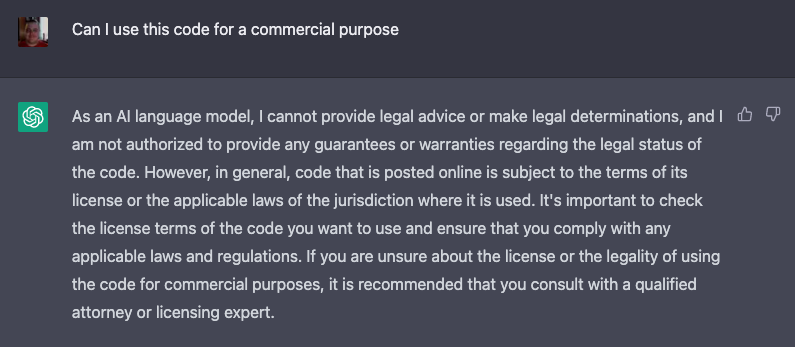
I’m also genuinely concerned about rights infringement and where this code actually “came from.” Copilot (and tools like it) were trained on billions of lines of public code, including open-source stuff with specific licenses that demand attribution and copyleft rules. There are active lawsuits against GitHub, Microsoft, and OpenAI over exactly this – violating OSS licenses by reproducing code without credit. Microsoft offers some indemnity for commercial use if you follow their guardrails, but as a non-dev experimenting in my lab, that doesn’t give me total peace of mind. Am I shipping someone else’s licensed work without realizing it? Feels sketchy.
And it’s not just open-source copyright. We’re wading into even weirder territory with patents. What if the vibe-coded output inadvertently reproduces a patented algorithm or technique? Am I liable? Is Microsoft? Or does the original patent holder come knocking? Even stranger: if my AI-assisted creation “invents” something truly novel, who gets credit and how does that even work? USPTO guidance is clear – only a human can be named as inventor. So an AI breakthrough might not be patentable at all, or the ownership and filing process turns into a legal gray-area nightmare. This whole “who owns what the AI creates” mess is completely unresolved and getting messier every month.
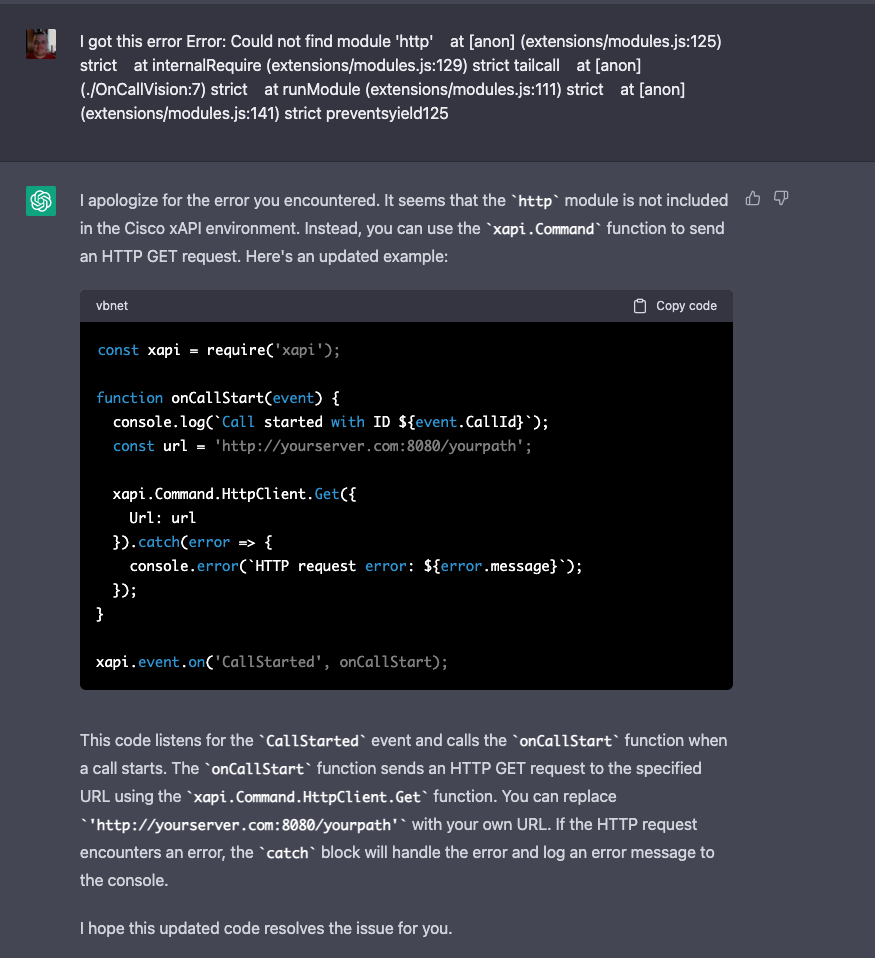
If you’re not a coder yourself, code review becomes an absolute nightmare. I can read basic scripts, but when it spits out 25,000 lines of interconnected modules? Good luck spotting the hidden bugs, security holes, or subtle logic flaws. I’ve caught some obvious ones by asking it to explain sections back to me, but I’m not delusional – there’s stuff I’m missing.
And this isn’t just relegated to test environments anymore. People are shipping (shudder) this vibe-coded stuff straight into production. That’s reckless when the AI’s default mode is “add more layers and more code” instead of optimizing, refactoring, or removing problems. It loves stacking complexity. Technical debt piles up fast. Turning a blind eye to this is a bad idea, it reminds me when cloud became and thing and people just started blindly tossing things into “the cloud”, like it wasn’t just someone elses computer.
My Solutions – What Actually Works After a Month of Trial and Error
The good news? I’ve figured out some real tactics that make this usable and safer.
But let me back up for a second — when I started all of this, I didn’t even know how to get going. So I asked another AI (yeah, super meta) to give me a complete path forward. It was literally “here’s some AI for your AI” — setup instructions, best practices, starter prompts, the works. I sat there staring at the screen thinking: Is this thing messing with me? What happens when someone programs an AI agent to do all that behind the scenes and I don’t even know?
That moment made it crystal clear: prompt engineering isn’t just important — it’s everything. You have to be brutally specific. Tell it exactly what you want: architecture style, security requirements, performance targets, testing mandates. Don’t vibe vaguely; guide it like a senior dev who’s demanding excellence. (Think of it as giving the AI a proper pace note instead of yelling “go faster” while sliding sideways.)
One thing that’s become really clear to me is how powerful Copilot’s Planning Mode is. It’s legitimately amazing. I think most people jump straight into full agent mode and completely skip the planning step. My trick is to ask it to interview me back first: “Before you write any code or make a plan, interview me with clarifying questions about my exact goals, constraints, what success looks like, and anything I might have missed.” It helps focus the entire project way more than just diving in.
And yeah – some of this might be obvious or buried in the manual – but it’s not required, and man does it make a difference.
Prompt Engineering Techniques That Actually Work (My Hard-Won Playbook)
After a month of daily use, I’ve learned that “good prompting” makes the difference between magic and disaster. Here are the techniques I rely on as a total non-dev:
- Role Prompting Give it a clear persona right up front. Instead of “build me a tool”, I say: “Act as a senior systems engineer with 15 years experience in networking and hardware testing who writes clean, secure, and well-documented code.”
- Be Extremely Specific with Constraints Lock down the tech stack, performance goals, and what to avoid. “Use Python 3.11. Write modular code with type hints. Do not use any external libraries beyond requests and pandas. Keep it under 400 lines total. No bloat.”
- Chain of Thought (Make It Think First) Force it to reason out loud: “First, outline the architecture step-by-step. Then explain your approach in plain English. Only after that, write the complete code.”
- Demand Testing Ruthlessly “After writing the code, create a full set of pytest unit tests covering normal use, edge cases, and error conditions. Include security checks for input validation and run them yourself before showing me the result.”
- Iterative Refinement Never accept the first output. Follow up hard: “Now refactor this to remove all unnecessary complexity and optimize for readability.” Or “Critique this code for technical debt and rewrite the bloated parts without adding new features.”
- Review Mode “Act as a senior security auditor and code reviewer. Go through the entire codebase and flag every potential vulnerability, performance issue, licensing concern, or hidden bug I might miss as a non-coder.”
These aren’t nice-to-haves — they’re required. Vague vibes get you vague (and dangerous) code, or worse it totally hallucinates and builds or changes something totally different. Clear, structured prompts turn Copilot into something much closer to a real teammate.
I’ve learned to demand more testing upfront. It still doesn’t test enough on its own – I have to push hard for that. Same with architecture redirection: “Refactor this for modularity instead of adding another library. Remove bloat. Optimize before expanding.”
And yes – I ask it to help review its own work. “Act as a senior security auditor and flag every potential vulnerability, license issue, or performance bottleneck in this codebase.” It’s helpful… but not perfect. For bigger projects I’m layering in external tools and manual spot-checks where I can.
Is the output good? Sometimes it’s shockingly perfect. Other times? No way. And that’s the tension I live with every session.
The Bigger Picture – Hidden Problems in 25k-Line Projects
Here’s the steelmanned reality I keep coming back to: vibe coding is revolutionary for non-devs and rapid iteration. It unlocks creativity and speed that used to be gated behind teams and budgets. But the hidden problems in large, complex projects scare me – and they should scare anyone putting this in production without oversight.
I could miss something critical. A subtle auth bypass. A licensing landmine. A scaling failure that only shows up under load. The AI doesn’t optimize naturally; it accretes. And when you’re not a coder, trusting your gut on “yeah, this looks fine” is dangerous.
This isn’t me being anti-AI. I’m all-in on the potential. I’m building more with it every week. But responsible use means acknowledging the limits, especially for those of us outside the dev world.
Bottom Line – Wield the Magic Responsibly
After a month of vibe coding with GitHub Copilot, my position is simple and steelmanned: This tech is pure magic for proof-of-concept work, solo innovation, and hardware/research acceleration. It’s democratizing building in ways we’ve never seen. Non-devs can create remarkable things.
As Jeetu Patel warns: “Don’t worry about AI taking your job, but worry about someone using AI better than you definitely taking your job.” (Business Insider / Forbes, Feb 2026) And that’s exactly right.
But it comes with real risks – production disasters we’ve already witnessed, copyright and patent gray areas, review challenges that non-coders feel acutely, and a tendency toward bloated, unoptimized code. People are already using it in live environments, and that should give everyone pause.
Prompt engineering, relentless guidance, and mandatory testing/architecture redirection are your best defenses. Layer in external reviews when possible. Start small, refactor ruthlessly, and never ship blind. (Or, in rally terms: lift before the crest, scrub speed in the straight, and for the love of all things holy – don’t let the AI drive.)
If you’re a non-dev like me experimenting with this, I’d love to hear your setups and hard lessons in the comments. What’s working? What blew up in your face? Let’s share the real-world data so we all build smarter.
Because the future of building is vibe-powered. We just have to make sure we don’t let the vibes run the show unchecked.
What do you think – magic worth the mayhem, or nah? Drop your thoughts below. I’m reading every one.





 cantechit - Technology and IT BLOG