I hope that this message reaches the people I want it to. Those in the marketing departments of the largest tech companies on the planet. I’m talking the big ones, Microsoft, Cisco, HP, VMWare, and of course all the others. Are you listening?
In the last few years I have attended Cisco Live!, Microsoft Management Summit, and other large IT conferences. I love to bring home some cool swag, and no better swag than the T-Shirt. The T-Shirt business is huge, with Cafe Press giving me the ability to make and sell anything I want. I literally have drawers of T-Shirts that I almost never wear. Why?
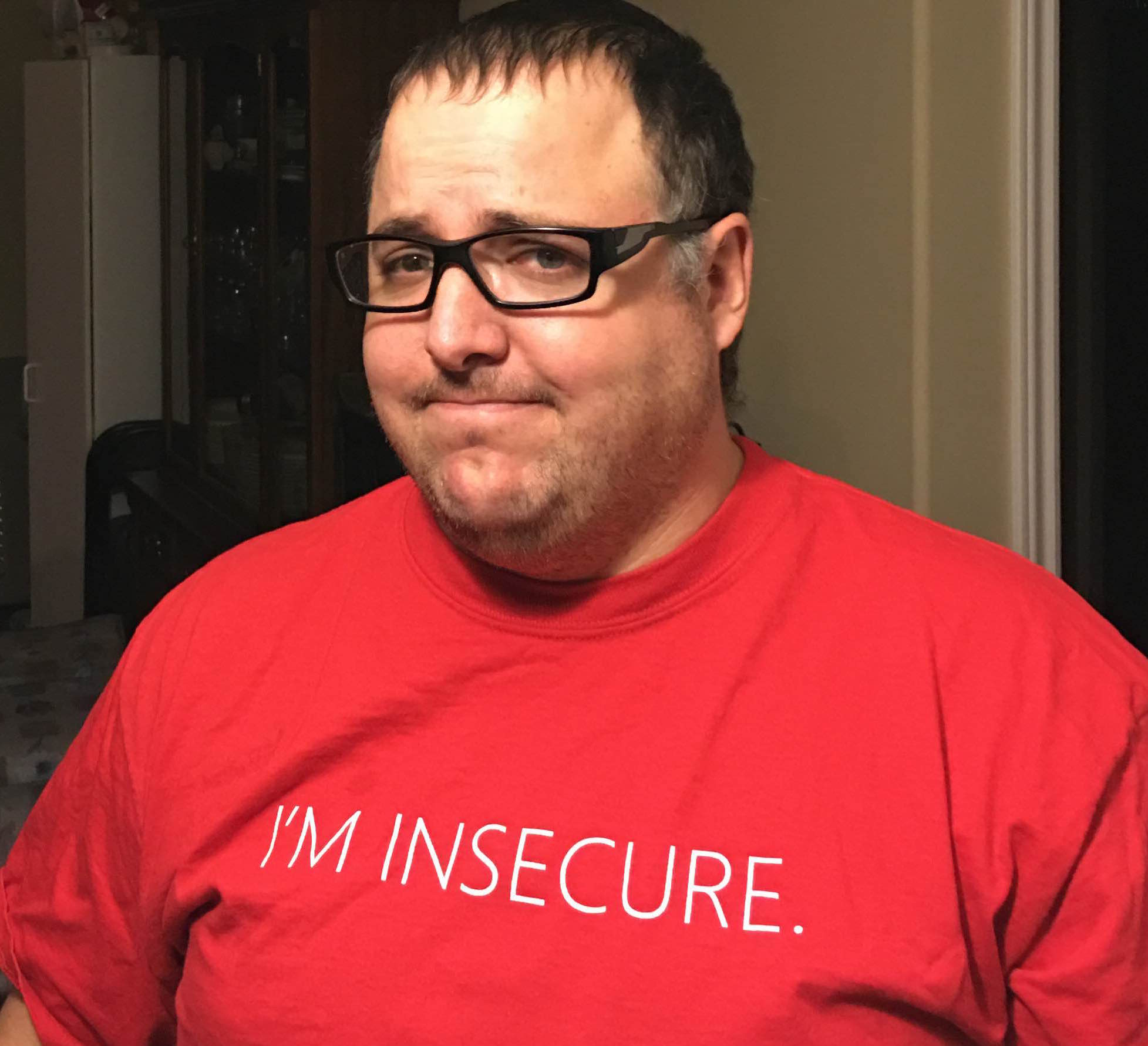
THAT’S WHY! I literally have drawers of shirts like this. They have HUGE designs on them that look goofy, or say things like “I’M INSECURE” on it. There is no way any reasonable person is going to walk around in public with this shirt on. I certainly will not visit any clients wearing this either.
I will not mention which IT company this is from – as this isn’t really the point, but the point is – 90% of my give away shirts are like this.
So what do I end up doing with these shirts? Well, I can tell you I don’t go out for dinner, or visit the mall. I wouldn’t even be seen at the local coffee shop in most of these..
This is what I use them for… That’s right… Shop shirts…
Hey don’t get me wrong I need a few shirts for banging around in the shop. However I could literally wear them once and toss them I have ended up with so many. They are relegated to protecting me from dirt in my shop, but never see the light of day in public — which is the point of marketing swag anyway isn’t it?
T-Shirt’s are supposed to be walking billboards. Moving marketing, that move, walk and talk around people who are probably your clients. This is targeted advertising! Except the only thing this shirt is targeting — is the greasy spot from my oil change.
Splunk Nailed It.
The team at Splunk do it right.
They even run around saying “We are a T-Shirt company that makes great software”. I know people that will actually find their booth, and WANT to listen to their pitch because they know at the end is a cool T-Shirt.
Not to mention – these ones you can wear! They are cool, classy, a little saying (Think Geek style) and their logo on the back. No huge designs, no flashy colours. Just a cool tech shirt that people actually wear. I see Splunk shirts more than anything else actually being worn.
When shirts are this cool, people even Tweet about them. Michael Brown @Supermathie posted this photo of him in one of my personal favourites.
Golf Shirts – Expensive – But Worn
It goes without saying, a good golf shirt, will get worn. However it has to be classy and simple, see this?
Basic, simple, the corporate logo on the breast side, no weird designs – something you could get away with on a work day. I know they tend to be more expensive – but again, I have these and wear them.
Conclusion
So a short blog post today, which hopefully reaches all the vendors before this years Cisco Live! 2016 event. With your help we can get the message to marketing departments across the country and the world. After all this is an ecological message. IT professionals, nerds and geeks alike are willing to be your marketing billboards around the world. However we would rather do it without the embarrassment.
After being in telecom and collaboration for almost 20 years, I have watched the video space evolve over many years. Everyone seemed to think they had “the next big thing”.
Telepresence is not point to point or desktop video. These are two very different technologies and you have to treat them different if you are going to respect each – because to compare them just is not fair.
This article might seem lengthy, and I am trying to avoid a history lesson, but my opinion is based on the history. So let’s take a walk back in time.
The advent of video calling goes back to the 60’s when AT&T came out with the Picturephone – however we will not go back there.
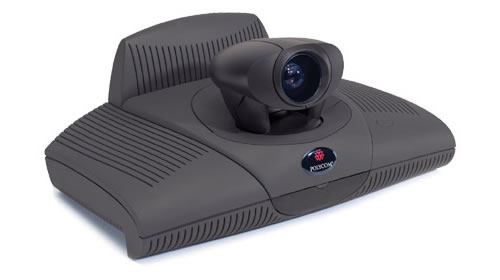
The first real game player started when Polycom started with the table or screen top “Viewstation”
These systems locked to ISDN-BRI technology over the PSTN, you had 128K or maybe 512K if you wanted to combine lines, but then you had to call someone who’s system would talk to yours. H.320 video was supposed to make things “just work” but it didn’t always work that way. The quality was decent, and the system even had a Pan/Zoom/Tilt (PZT) camera which was of good quality, and the audio was PSTN quality. Later versions worked with IP, but firewalling issues, bandwidth constraints (remember this was the early 2K’s) and other problems plagued the adoption of such products.
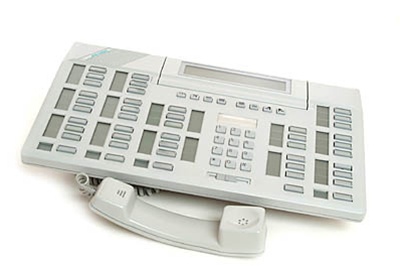
Nortel 1535 SIP Phone
In walks Nortel, a great Canadian company who continually innovates and in they walk with the first real mainstream enterprise ‘Video phone’ with the 1535 SIP Phone (Yes others came before it, but this is a mainstream conversation). The quality wasn’t great, but it was a integrated office video phone over IP. It was expensive, but you can pick them up for about $50 online now and they can be connected to Asterisk for FreePBX and other systems as well, so if you want some cheap SIP video phones for home – it is a good option – but why?
Cisco/Tandberg Alliance and Acquisition
Before Cisco purchased Tandberg in December of 2009 they were one of the leaders in the field, and many organizations, including Cisco were re-branding their products. Even today it isn’t difficult to see how the Tandberg T3, Looks like what became the Cisco CTS 3000 Telepresence.
If Tandberg had the marketing prowess of Cisco, they would have been even more successful, but it took Cisco’s marketing to bring these products mainstream.
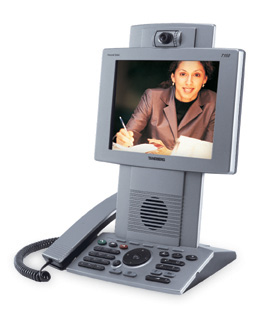
Getting back to why we are here.. Tandberg and Cisco launch the absolute desk hog called the 7985, which was basically a re-badged Tandberg 150 MXP – it ran a modern H.264, but cost $3000+ and ate up all of your desk space.
Not very popular, they were in demo centres all over the place and mostly executive offices who got them for free from Cisco – because they were hoping for adoption. That didn’t work. Keep in mind that many shops back then didn’t have the WAN services to really support this kind of bandwidth use, the $3000 desktop phone was only part of the cost, and that problem doesn’t change today.
Cisco disrupts with Unified Video Advantage
This in my mind — is the perfect product. The phone is just a phone, and in this case it could be almost any phone. Even low end phones with grey scale phones worked with it. Unfortunately due to poor marketing and high cost, it didn’t catch on.
Why is this perfect? How often are you LOOKING at your phone? Chances are you are looking at your PC screen, possibly collaborating on a document or maybe taking notes – but chances are, you are not looking at your phone. It was also SIMPLE, a very small little applet detected the phone you were connected to, and when you got on the phone – video just started. Easy to install, easy to operate.
Except — Cisco Unified Video Advantage aka CUVA – is discontinued. It also started out very expensive, with a re-badged Logitech Camera with a Cisco badge on it, and custom firmware, it required this special Cisco Camera at a high price. They removed the requirement for the Cisco specific camera later on – but the product eventually just died.
Cisco Telepresence DX Series
Ok now we are getting somewhere. Cisco offers up a Telepresence / Video unit with a big enough built in monitor that you can use this as your monitor, and do Video on it. This makes a little more sense, but at $2500+ for the smallest version, it isn’t cheap and remember you still need the back end licensing and infrastructure to make it work.
Lync and Jabber Are Getting it Right.
Where do we see the biggest uptick in desktop video? It started with Skype at home, but now Microsoft Lync and Cisco Jabber is where I see the most use. The cost is low, the imapct is high and I still get to look at my documents at the same time. Not to mention the collaboration features of being able to share my screen. With the new generation being used to messengers, instant messengers and presence these types of platforms are gaining momentum quickly. The cost of entry is low, and the quality is “good enough”
For desktop video – the quality will never be a factor in my opinion – we have quality that is good enough. Video guys keep pushing the quality up, but it’s much like audio guys, they all push 24/96 — but the average consumer is fine with a lossy MP3 file. This is no different, 480P is fine, the user cannot tell the difference if it’s 1080P — especially with small video windows.
Not the Solution
OLYMPUS DIGITAL CAMERA
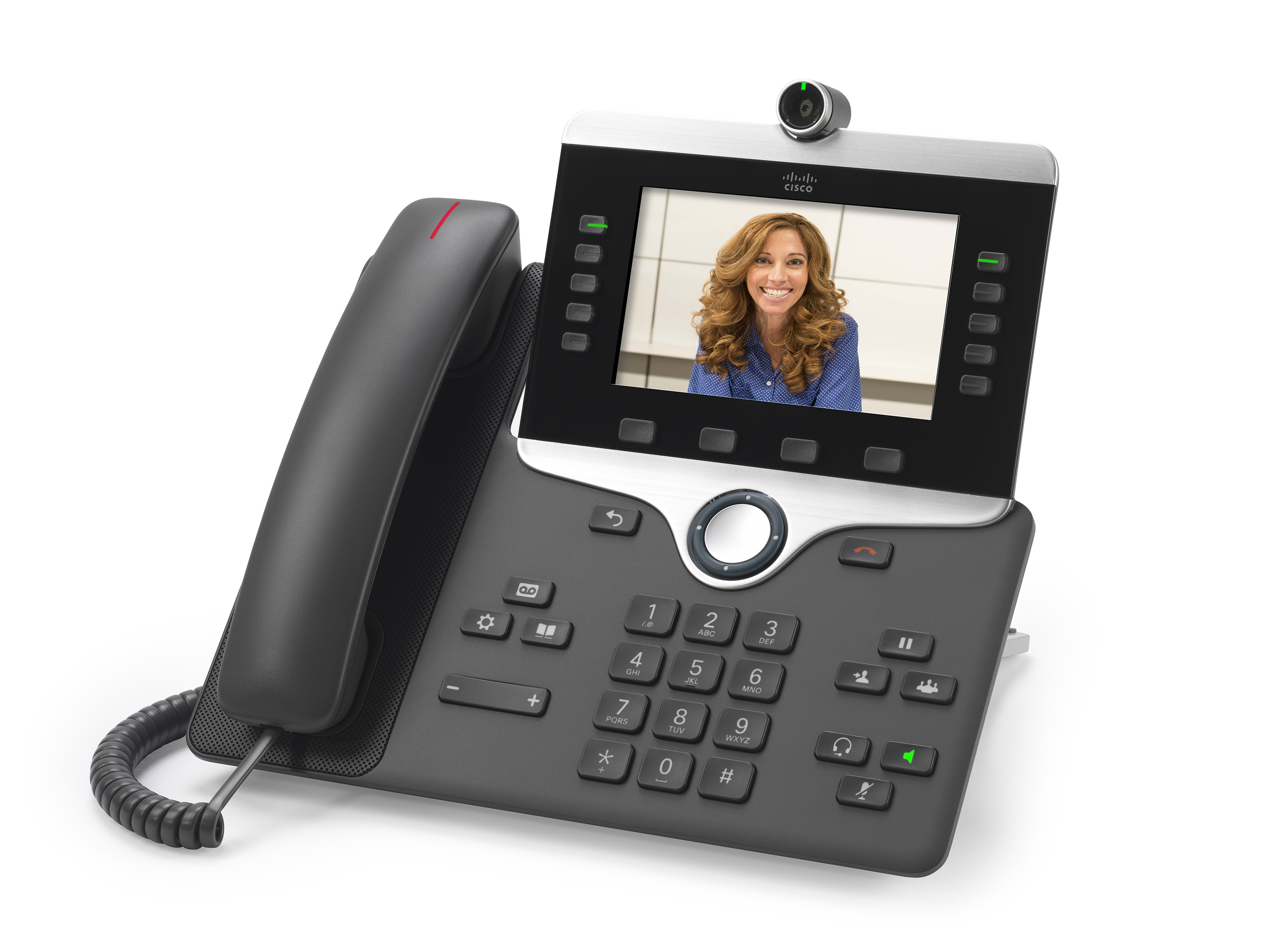
Remember what I said before – nobody looks at their phone. Cisco and Avaya are all touting 720P or better packing phones with high fidelity screens and high end cameras. I have two comments.
I never look at my phone
My laptop/pc which every modern desk has — already has a high end camera and nice screen
In modern terms, these are costly.
I just do not see these as taking off. That’s the bottom line.
Good Enough is Good Enough
Microsoft Lync and Cisco JAbber are what I call the “Just good enough” solution.
For the record, I am not bashing these products at all, infact on the contrary. Microsoft seems to have captured the “Good Enough” very well. Many clients aready own Lync, many have Lync licenses via Office 365, the service setup isn’t that bad. It does basic video/audio conferencing out of the box, the client is easy to use and even the room systems are pretty good, the Round Table isn’t telepresence, but it gives you 90% of what you need for around $5,000. Even Cisco’s SX20 will cost you double that by the time you license it and get it all running – not to mention it is arguably harder to use.
Jabber from Cisco also meets this requirement, you get easy point to point video, and you can do conferencing with Cisco’s telepresence line or an SX20 – but the cost sky rockets and it is significantly more expensive to deploy
Telepresence – Not Desktop (Almost)
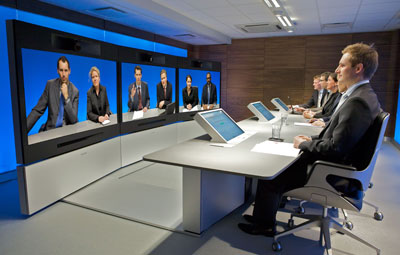
Cisco really brought telepresence main stream with the CTS3000
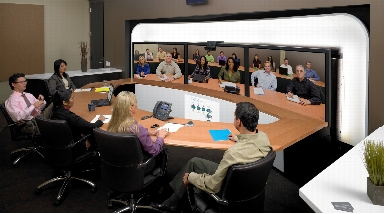
The idea was as you can see – extend the desk, full size people, amazing audio and visual experience, a high end engineered light bar. Cisco even issues specs for your room design, wall coverings and other things to make this a real experience. Everyone that used it the first time went “WOW!”. They also went WOW At the price – $300K for the system and $70K a year for support and a back end that could power NASA to make it go — but — nobody else was doing this, it was disruptive. This product continues to push the limits and show what can be done with telepresence and Cisco is taking full advantage of their Tandberg acquisition.
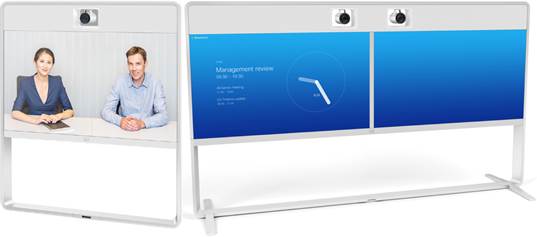
The new Cisco IX5000 is really something to behold, the cameras do not move, they are 4K, and they process for what they need. Take a few minutes and watch this video of the unveiling, this product is a work of art, and has amazing features.
Telepresence = feel like you are there. Telepresence does not mean “See the other person” it is much more immersive than that.
The new MX line is bringing telepresence prices WAY down, you still get the full experience, but in a smaller footprint. The quality is still top notch and the devices look elegant. They are even pulling in the RED DOT awards for the recent designs. http://blogs.cisco.com/collaboration/mastering-design-one-red-dot-at-a-time
The home executive is still getting the option for the DX series, you can join telepresence sessions with the utmost quality, a F2.2 lense and 63 degree view, a high quality screen and an “App” capable experience. It runs Android in the back today – but that is changing with Cisco optimizing the experience with a new operating system.
The Telepresence should not be considered in the same ball park as point to point or desktop to desktop style video. This is for full meeting room collab. If you purchase Telepresense you know what you are getting into, a very high quality product, well engineered that provides a very high end experience. It isn’t designed to compete with desktop. While the DX70/DX80 solutions do bridge that gap – I think those will stay relegated to desktops of executives, I would be surprised if we saw mass adoption.
Bring back CUVA via Jabber
Companies like Cisco need to keep the “Just good enough” crowd happy. This is where 90% of people operate day to day. The Video Advantage feature set was simple, and it worked, and makes more sense to me than video desk phones do.
I have heard rumours that the Jabber client may add this feature in the way of escalating a voice call on a controlled phone to video on the desktop, but the question is how easy will it be. Hopefully it will enable very easy, and quick ad hoc video calling, because that in my opinion is where the future of desktop video lies.
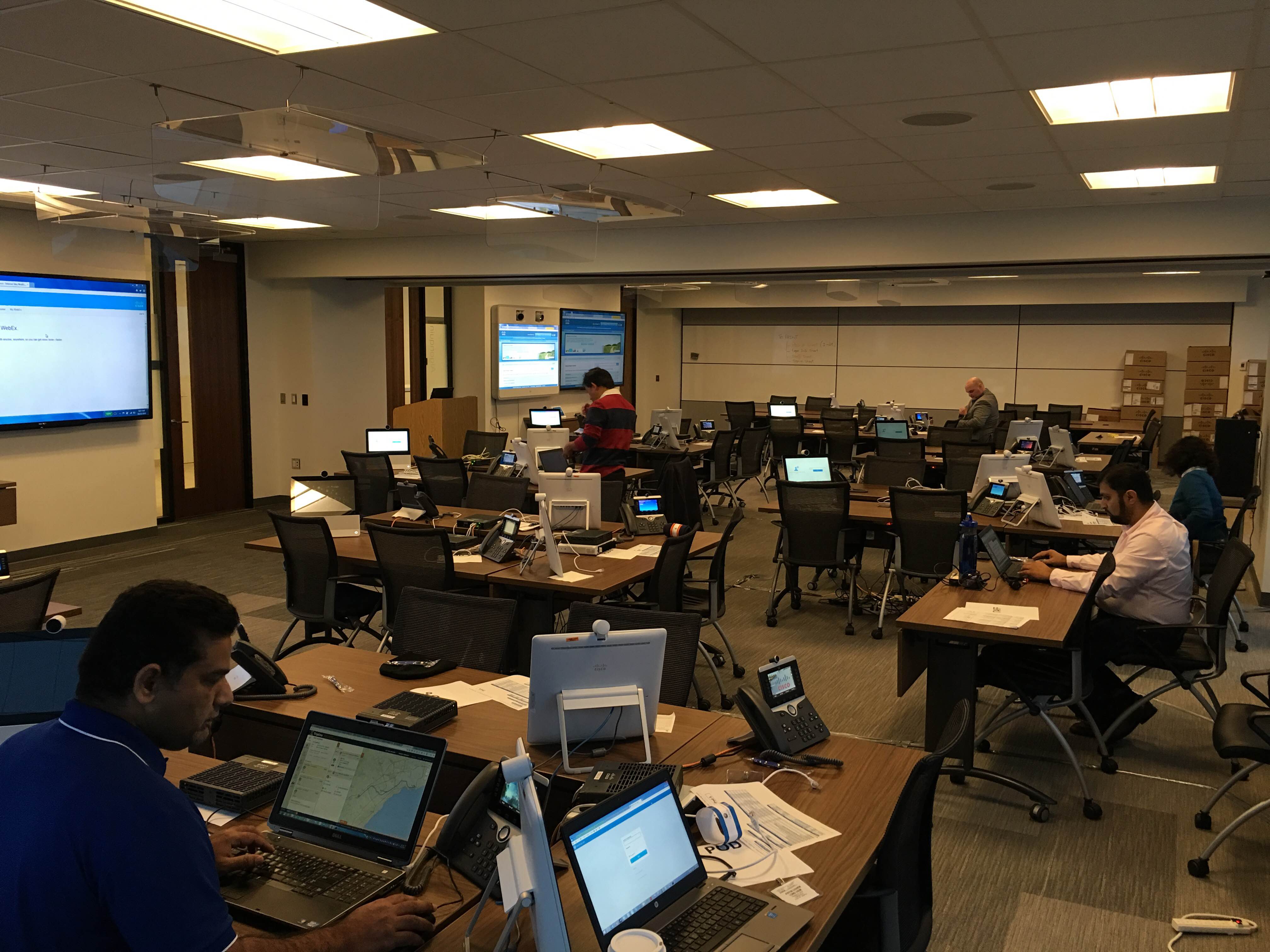
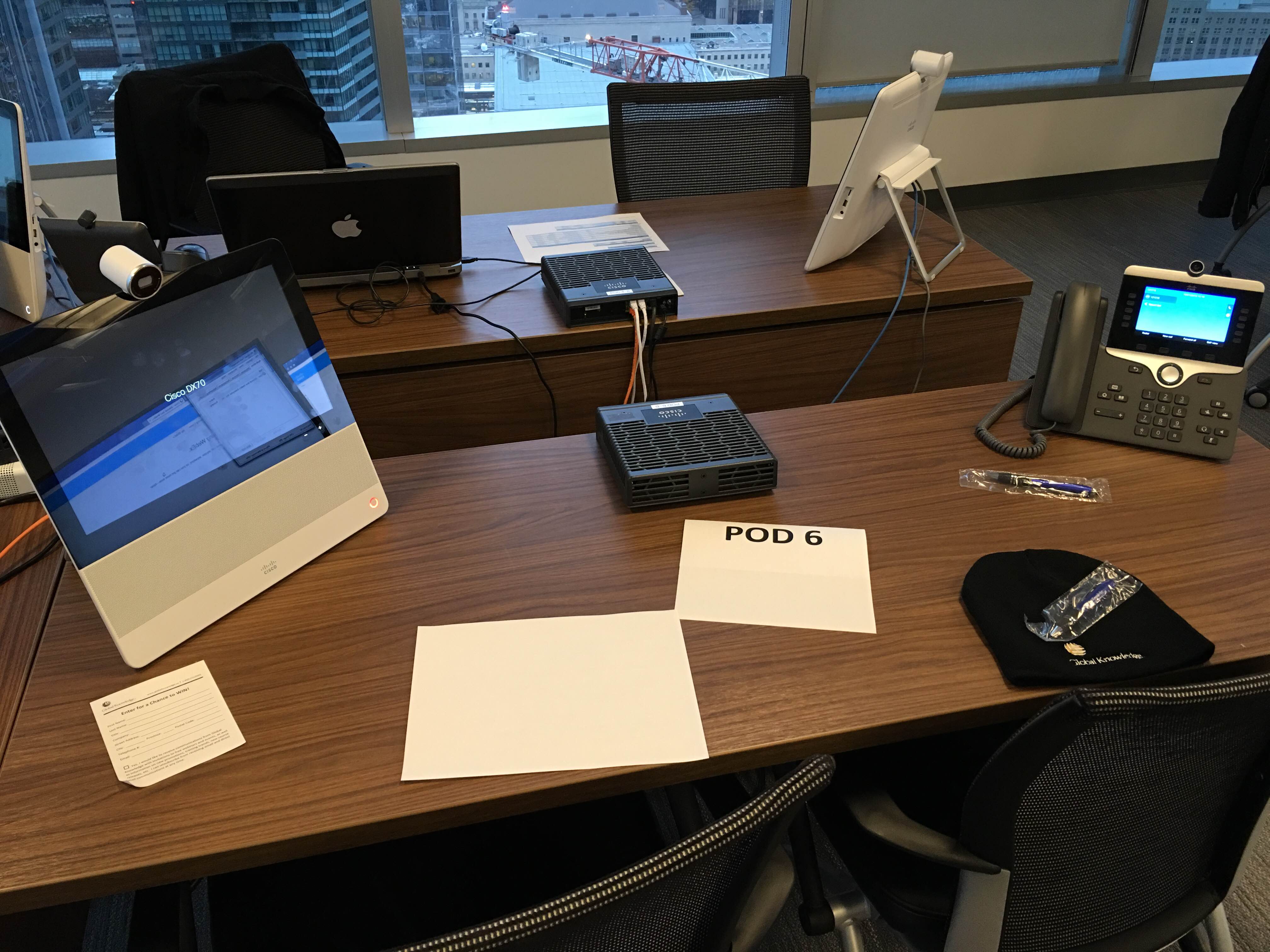
That’s 30 separate collaboration training environments, with over 60 partners learning about the new collaboration platform products. The best part? Not a single server in sight. Each desk has a brand new 720p Camera attached Cisco 8865, and a DX70 Telepresence device. The performance of all pods is PERFECT, you would never know that all of this is being virtualized thousands of miles away in Cisco’s high end dCloud data centre.
Yesterday, a few had lab issues, which is common in training environments. One quick web site visit, and those pod’s were reset. Back up and running in minutes, saving valuable training time and money for partners.
Rumors of Upgrade
Rumors online and from people in the know suggest Cisco is not slowing down with dCloud either, there is the hint of major investment in the program. With more and more uptake on dCloud services, and Cisco continuing to tell us it is – and will continue to be a free offering for partners, no other technology company in the world is putting this kind of investment into a learning, development, demo and training platform.
UPDATE: After the posting of this blog entry, we received confirmation from @briancsco at the Cisco dCloud team that expansion of the program with “Major Investment” is “imminent” and that #Cisco is “#allin”
Off Label Use Soaring
People are finding new and innovative ways to use the platform, including Cisco internally. These Collaboration Training sessions are now being hosted via dCloud. New and innovative internal use cases are starting to bloom.
Some of the off label use cases I have seen are things like
Prep of RFP and Documentation when screen shots are require
“I just need to try something” — logging into a lab for a few minutes just to try something
Running a lab guide — You have a lab guide from previous training, and you need systems to run scenarios on
POC – Proof of Concept – proving that something works the way you thought, or of course proving it to a customer
Development – You have written some new integration software, or code and want to sandbox it.
Practice, Testing, Break/Fix – You want to test out a solution to a problem, but are worried about damaging something.
Self Training – There is no better way to learn new product, with (as of this writing) 27 specific LAB offerings
The best part is, unlike your lab, it’s never broken, and if you do break something, a quick switch and it is all reset.
Cisco is encouraging this off label use for the platform, and people are finding new and innovative ways to leverage dCloud.
Sound off in the comments — what do you use dCloud for?
dCloud Momentum
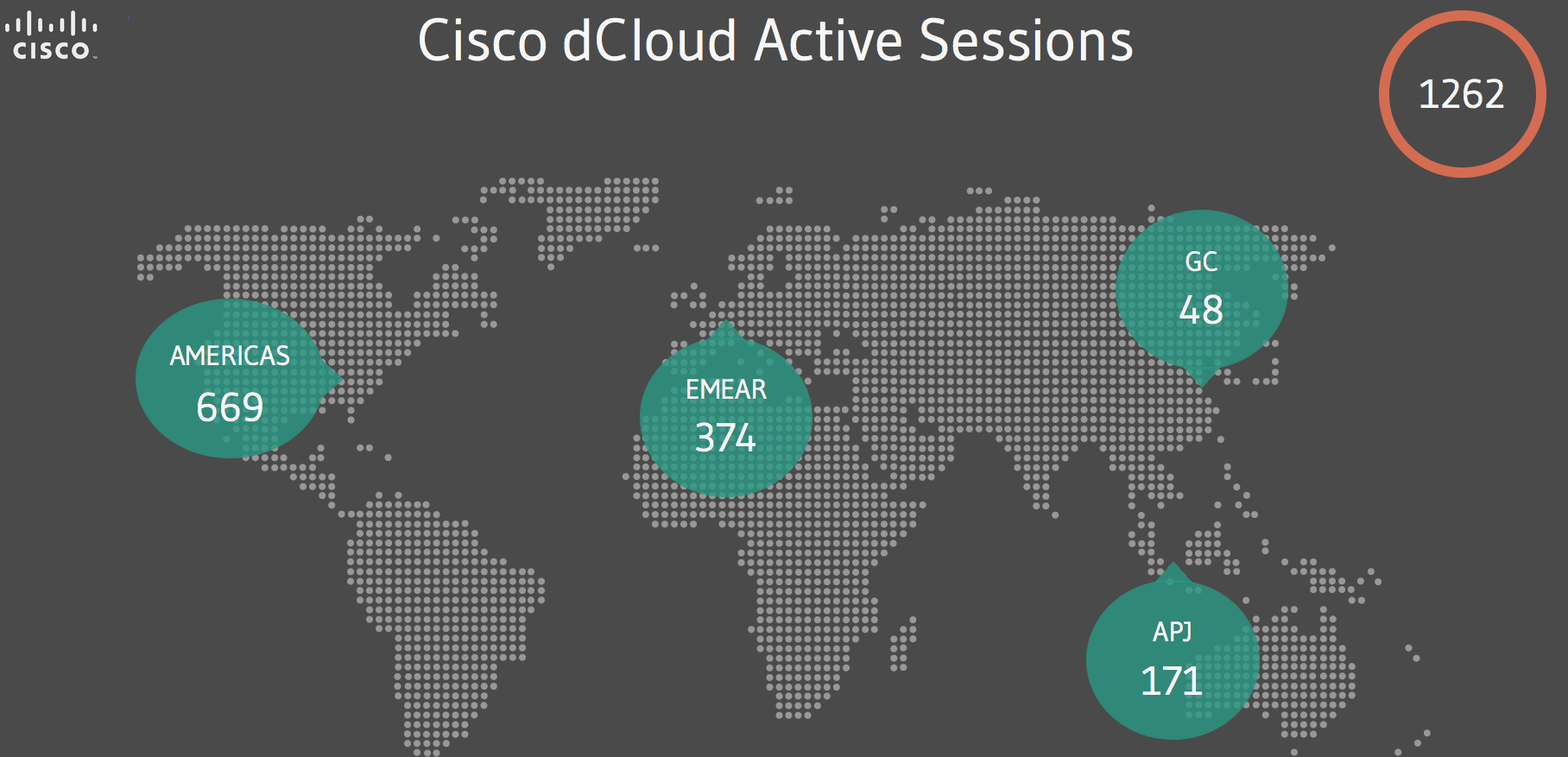
How much is dCloud being used? Well, check this one out – at 9:30AM Eastern Time… Over 1200 active sessions!
Recently I upgraded one of my machines only to find out that some Outlook plugins that I need were incompatible.
The 2010 edition still installed wasn’t functioning properly, so I also removed the recent 2016 upgrade only to find out that everything I did resulted in this error
“NOT IMPLEMENTED” or “CANNOT SAVE, NOT IMPLEMENTED” basically my email was broken, my calendar was broken I couldn’t do anything.
The MAPI upgrade from Office 2016 remained after uninstall.
Close Outlook
Go to this folder
C:\Program Files (x86)\Microsoft Office\Office15
Delete / Rename OLMAPI32.DLL (Remember you have to be admin)
FlightChops producer and flight geek Steve Thorne @flightchops had a friend out recently who accidentally dropped an iPhone 6 plus out of the side door of a Super Cub.
Assuming the phone was history, his flight buddy moved on, only to get a phone call from the police when the phone was recovered. Check out the video below, more importantly check out Steve’s other amazing videos from Flight Chops.
Oh.. and remember.. Keep your Flight Chops sharp! 😉
I have been doing wireless for some time, and while some day I hope to be as skilled as Steve the @wifijanitor so a quick plug for Steve. It seems every day you learn something else, and sometimes it comes as an embarrassing and unnecessary TAC ticket which response reads like “Yep, that’s by design, read this” and you end up feeling like “Gosh I should have known that”.
If you are like me, and have a single Meraki AP at some sites, or have a single Meraki AP in a lab or home — keep reading, there is something important here.
Background
I have had some sporadic range issues with Meraki AP’s for some time, not being able to really figure it out, and only running in to it occasionally it was not bothering me that much. Recently however I ran into a client who was not deploying ubiquitous coverage across the entire building and they came to me and said “We had much better coverage with our 1140’s in this area”
Interesting – I have an 1140 in my lab, and I had the same problem as well, so I started to investigate more.
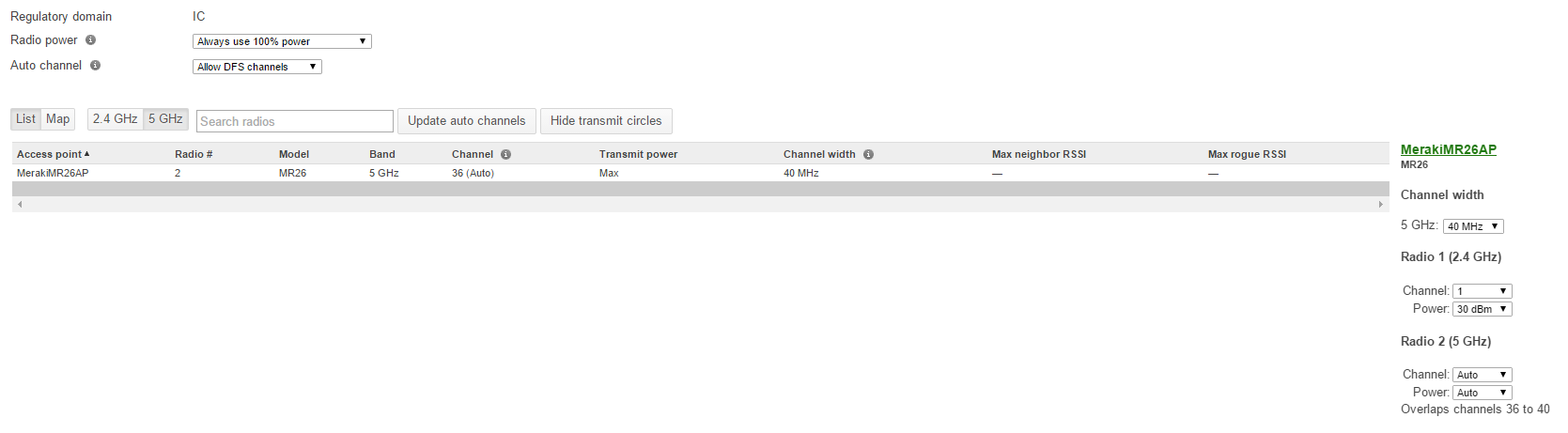
In a non fully overlapping environment I commonly “Use 100% power” or in environments where we just want to get as far as we can
The Problem
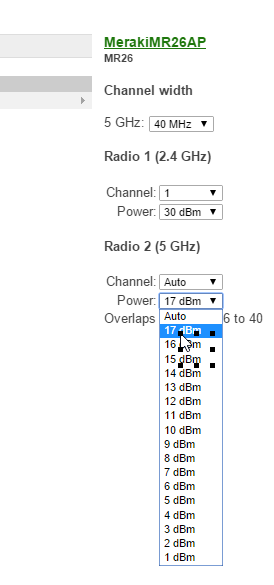
My client called me up later on thinking he had found the problem and indeed he had, “Why are some of my MR26 AP’s only cabable of 17DBM and some are capable for 30dbm and some 24Dbm”
That is good question! So off to a support ticket I went – ok ok ok, I could have googled it more, but we do pay for support right? It was the end of the day, I had somewhere to be, and I figured I would let support school me a bit.
Why?
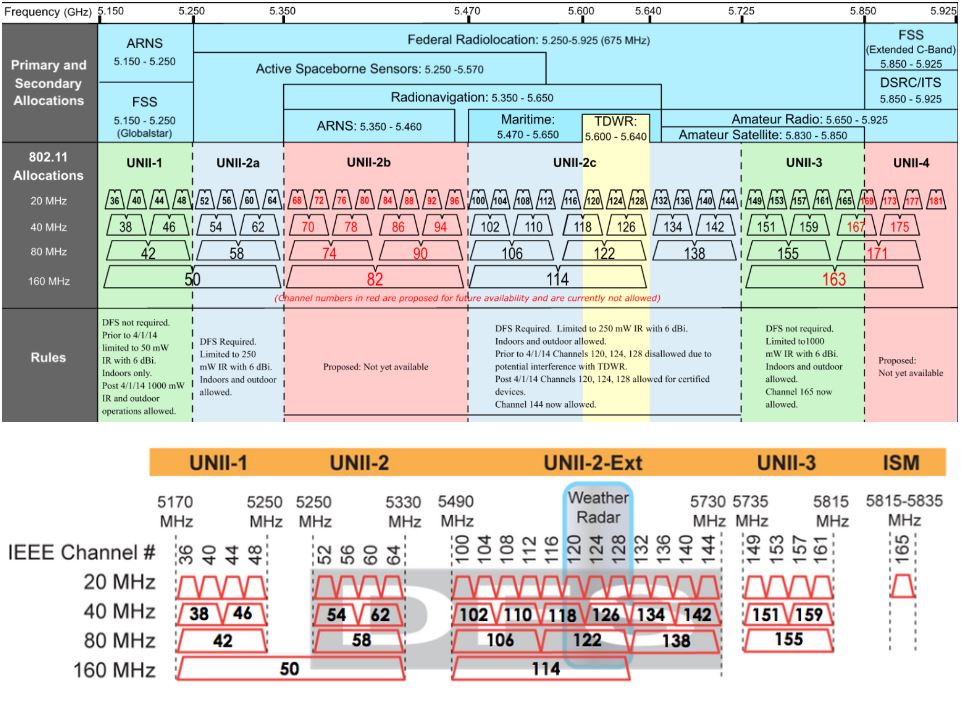
As it turns out “Always use 100%” is a little bit of a half truth on the 5GHZ band. Let us look at this table from wlanspros.com
If we discuss 20mhz channels, UNII-1 channels 36-48 are POWER LIMITED by the FCC because of all the users in that band. For indoor applications you are limited to 17 DBI or only 50mw Ouch!
The other problem, is that in 2 of my dashboards at sites with only a single AP, and one with only 2, I caught the channel planner using UNII-1 Channels 36-48 by default! I would like to point out, all of these sites had no other channel noise or problems that would cause the AP to channel switch due to noise.
Why would the dashboard choose these low power channels by default? You would think they would start at least in the band that allows 24Dbm, or even the higher channels that support 30DBm – especially if I specified always use 100% power, you would think it would chose the channels where it can run higher power. Instead by default it chose the lowest power channel option.
The Solution
By now the solution is pretty easy, hard code your channel, and hard code the power – and you are good.
Choose a channel that is not 36-48, and you can get 100mw, if you go into the UNII-3 channels you can even go to a full 1W, but with 100mw clients this may not help you and just wipe out that channels to neighbors.
This works ok in quiet environments (My lab is in the country, 1000 yards from anything else, my noise floor is super low), however this may cause problems in other environments. Also keeping in mind pushing 30Dbm – 1W of power on channel 161 may do you little good if clients operate at 100mw so simply pumping the power to full blast may not be advantageous or the best idea.
The other problem is hard coding channels makes the rest of the “AUTO” AP’s do funny things.
“Make a wish”
As you know the Meraki dashboard has a “Make a wish” option – please go in there and request the following “Please allow individual channel or band blocking or allow” I have run into other clients where customers need specific channels barred, or bands barred because of other devices in band (Zigbee on 2.4ghz as an example) so this feature is needed for more than just this situation.
How do I know it is ad mail? Well it appeared in my mailbox, it has no address on it, it is obviously screen printed, and others received the exact same notice.
The company – BlueSky GreenValley http://www.blueskygreenvalley.com/ and they are trying to get you to purchase a MicroFIT system, for those not in Ontario Canada, it is a feed in program that you can get paid for installing solar on your home.
This company is clearly attempting to use social engineering techniques to get people to call them and hear about their product. When you call they ask for personal information which I am sure they database.
We are teaching people to avoid real scams, and here is what appears to be a legitimate company, using what in my opinion is a deceptive marketing practice, and methods normally employed by criminal organizations to market their product?
The questions that come to mind when I received it range from things like… If you are willing to trick me in this way to get me as a customer, how will I be treated when I am a customer?
So when does guerrilla style marketing become dis-honest? When it turns to trickery, and dishonest advertising
Does this go as far as fraud? I don’t know, this is something authorities would have to decide. The criminal code says…
False or misleading representations
52. (1) No person shall, for the purpose of promoting, directly or indirectly, the supply or use of a product or … any business interest, by any means whatever, knowingly or recklessly make a representation to the public that is false or misleading in a material respect.
In my opinion they knowingly made a misleading representation with this advertisement mailer.
I would think this is a deceptive marketing practice as well
Misrepresentations to public
74.01 (1) A person … who, for the purpose of promoting, … the supply or use of a product or … any business interest, by any means whatever, (a) makes a representation to the public that is false or misleading in a material respect.
The key phrase is “Material Respect” — In my mind suggesting I have a package that I do not — which is the entire intent of this face notice — IS MATERIAL.
The penalties are severe
Using mails to defraud
381. Every one who makes use of the mails for the purpose of transmitting or delivering letters or circulars concerning schemes devised or intended to deceive or defraud the public, or for the purpose of obtaining money under false pretences, is … liable to imprisonment for a term not exceeding two years.
In the IT industry, we work evenings, nights and weekends. It is just part of the job that we do. In our early years many of us worked very hard trying to earn our place among the technology greats, and part of doing that was paying our dues at 1:00 AM. These were great times for many of us, and the best learning opportunities were under pressure.
This is my story. This is not some contrived blog post based on studies, this is what happened to me 15 years ago, so if you are new to the industry — keep reading.
The longer you work, the more you become sleep deprived. The National Highway Traffic Safety Administration estimates that fatique is the cause of 100K accidents and 1,550 fatal accidents every year — the great risk is with people under the age of 25. So what does that do to a coder up at 1AM, or how about a network analyst working on a BGP problem after being up for 18 hours.
Dr Eric Olson from Mayo Clinic explains that during sleep your system releases cytokines, which help you sleep but also increase to help with infection and inflammation – or help deal with stress. If you do not get enough sleep, your system does not have what it needs and your entire immune system suffers.
I could go on for paragraphs about lack of sleep, insomnia, depression and anxiety, but the issue I want to bring light to is more about something I will call “Dedication Sickness”
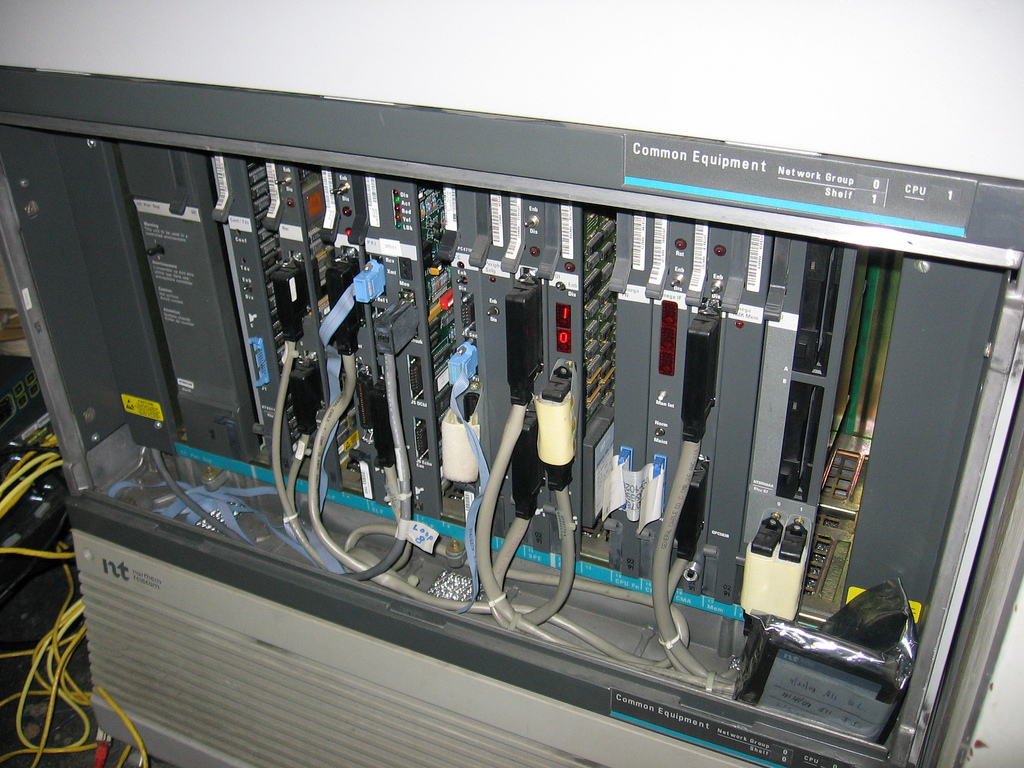
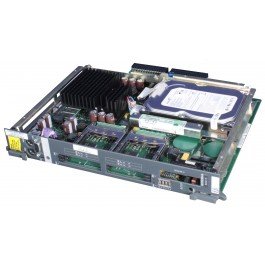
In 1999, while working for a large telecom company, I was a young 19 year old professional working on high end Nortel Networks platforms. It was a great time in my career, working Option 11 all the way up to the big 81C PBX systems. Large voicemail platforms even cut my teeth of Symposium Contact Centre. Right in the middle of my career boom, and while at the top of my game I had a Friday night that would tickle any geeks fantasy. Thursday was super busy, I was assisting with a large roll out at an insurance company that week and was pulling extra hour, and extra credit with the bosses by working until midnight – 1 AM every night deploying handsets. Tonight I didn’t leave until 4.
I had started my day Friday morning with 2 hours sleep and my typical list of field tickets, a few phones to program, a card to install, nothing major. I headed into downtown Toronto and started my work. That evening I had a voicemail upgrade planned from Meridian Mail or CallPilot 1.07. Why do I remember the version? Well, if you are a CallPilot person you will know why, the upgrade was planned to go basically without a hitch. I arrived around noon to start work, and the cut over was planned for 8PM. At 8:01 I throw the switch, and everything was great, I was on cloud nine and packing up.
That’s when I got a call from someone else at a large financial firm, they had been working on an integration issue with Symposium Link for several hours and were getting nowhere. I headed over at around 9 PM only a few blocks from where I was working. This was an integrated contact centre with screen pops, desktop integration, database dips, the works — in 1999, I was super stoked to be helping on this one. We worked until some time around noon the very next day. Just before I left I remember using the bathroom and while washing up, my right eye was not closing right and I felt weird. I also had some pain in my right ear.
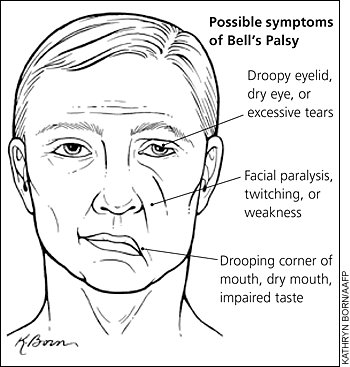
Sunday is where it all went pear shaped. I woke up unable to see out of my right eye, my eye was crusted shut. I immediately got myself off to hospital where I was told that I had a condition called Bell’s Palsy.
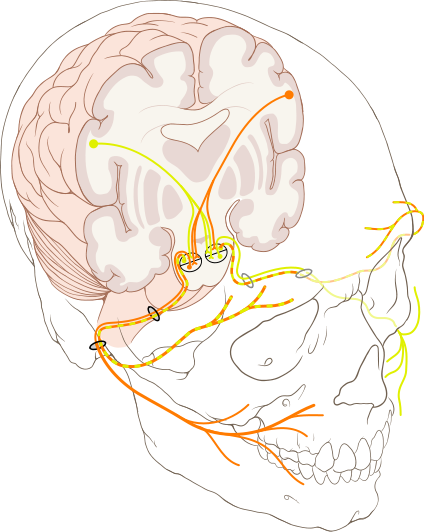
It turned out I had an ear infection I didn’t know I had, and my lack of sleep over the past few days coupled with almost 48 hours without sleep resulted in that infection spreading to my facial nerve.
From Wikipedia..
Bell’s palsy is a form of facial paralysis resulting from a dysfunction of the cranial nerve VII (the facial nerve) causing an inability to control facial muscles on the affected side. Often the eye in the affected side cannot be closed. The eye must be protected from drying up, or the cornea may be permanently damaged resulting in impaired vision. In some cases denture wearers experience some discomfort. The common presentation of this condition is a rapid onset of partial or complete paralysis that often occurs overnight. In rare cases (<1%), it can occur on both sides resulting in total facial paralysis.
I spent the next 8 months in recovery, taking drugs that cost me close to $600 / Month, but luckily my employer foot the bill (actually the owner foot the bill on his personal credit card). You know how people say you don’t know how someone feels till you walk a mile in their shoes? Well, I spent 8 months with a physical disability, and I saw every single one of you that looked at me funny. I was treated differently, spoken to differently and I felt awful.
Crazy anti-viral medications, steroids that turned my stomach inside out and electro shock therapy. I had to lubricate my eyes with goo every night and tape them shut. The list goes on and on. It was not a fun time.
This condition never went away 100%, to this day I have partial facial paralysis that I can feel constantly – as I write this I can feel it. All because that many years ago, I didn’t know when to say enough is enough.
I now have a condition called synkinesis. When the nerves broke during my condition, they normally grow back correct, but some of mine crossed (yes insert all the — yes Justin does have crossed wires jokes) the regrowth of nerves that controlled my eye lid, crossed with my chin and now when I blink, my chin moves sometimes, it’s quite annoying – and something that cannot be repaired. I also ended up with Tinnitus – which seems to come and go since then.
Am I getting my point across?
If you are an employer, you have a duty to watch out for your people. I am proud to say I work for a company that closely monitors the work level of the staff to ensure things like this never happen, but I am sad to say most employers I have worked for not only fail to monitor for this, they drive people to work as many hours as they can.
If you are a professional, and somehow came across this blog entry and feel this affects you – send this blog entry to your employer. Don’t do it, I have permanent physical effects from working myself too hard, and they are with me for life. Be reasonable with your work expectations with your employer, and do not think “but I need this job” — but you need your body and your life.
Ever watched Rally videos and wondered — What is all that talk?
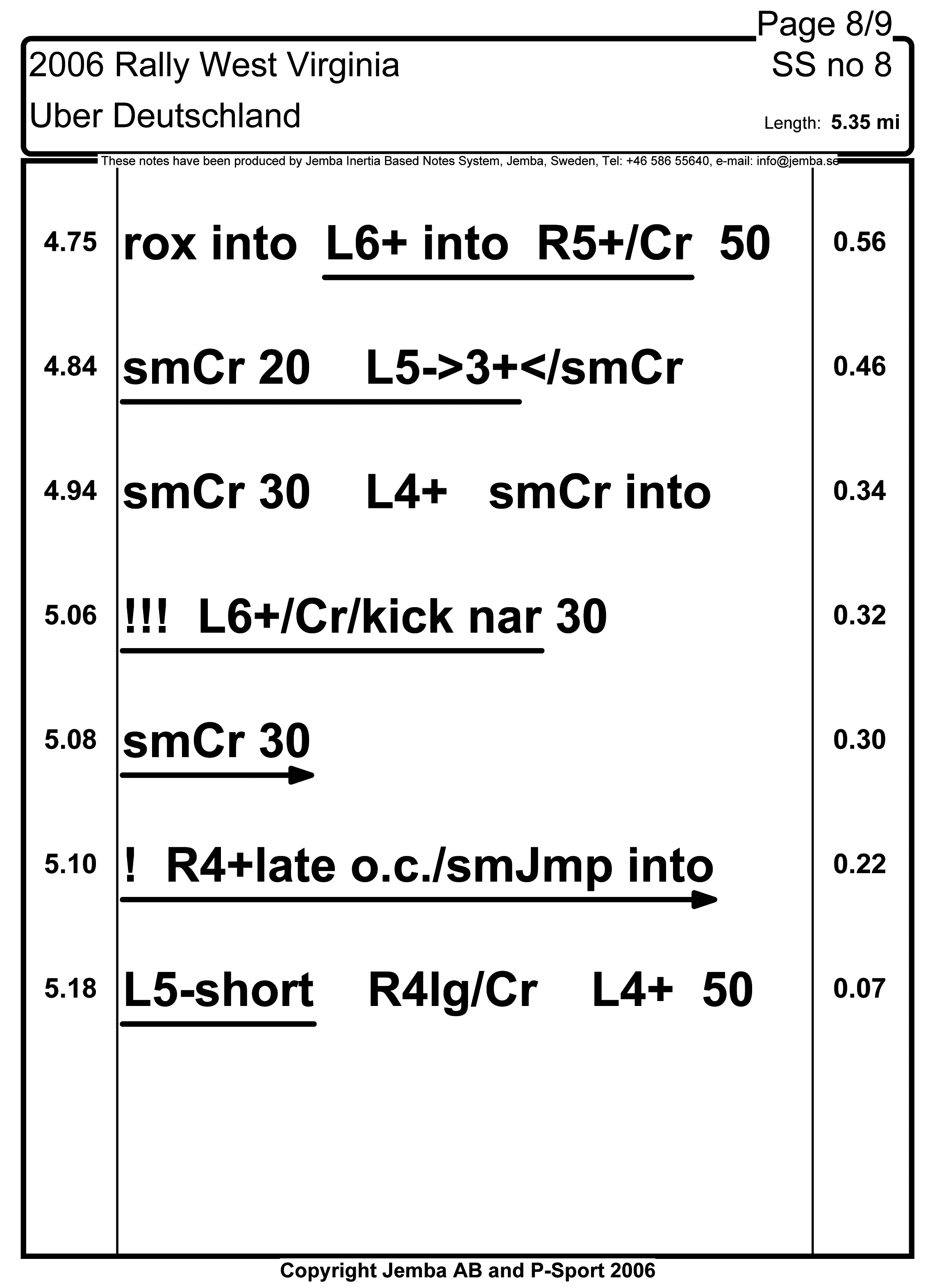
Those are pacenotes – a system used to tell the driver what is coming next. However not all pace notes are made equal. The idea is if done perfectly a driver could operate a rally car with their eyes basically shut. The co-driver / navigator is reading notes, provided by the Rally, or written by them like this….
Drivers use different systems depending on the driver. Russian born but Canadian rally driver Leo Urlichich @crazyleo has a very custom notes system that includes finnish words and other phrases that only those who have worked with him will ever know, but he claims helps him greatly.
A co-driver can actually control the speed of the rally car, by adjusting note pacing, inflection, and timing the driver will actually drive faster or slower. Many co-drivers really feel that they are actually in control of the rally car. Co-Drivers / Navigators play a very significant role in the sport, they write/revise and arrange pace notes, do timing calculations, and are very involved in vehicle service on the roadside. With the amount of work going on by the co-driver, many get road sickness from not looking out the window while reading notes and some use ginger, anti motion sickness patches and other methods to help deal with it. Most cars — have a bag somewhere on board.
Canadian co-driving champion Alan Ockwell recently sat down with CRC Rally TV to talk pace notes and explain what this all means. Alan also runs a co-driving school with the Maple Leaf Rally Club for those who really want to learn from one of the best co-drivers in Canadian history.
The CRC episode from the team at CARSRALLY on You Tube is not out yet, but we do have some highlights from the recent Rallye Baie Des Chaleurs in New Richmond QC saw some amazing action. With Antoine L’Estage and Alan Ockwell taking the event by 3 Minutes and 28 seconds — it really was a good battle. With Antoine dropping to third during only the second stage there was time to make up. Smart choices throughout the day resulted in catching up and by the seconds leg at B1, Antoine took the lead and didn’t lose it, with Joël Levac / Stéphanie Lewis on their heels the entire event, at one stage within 1 second finish time.
Look for the CARSRALLY team to release a full CRC episode in the near future.
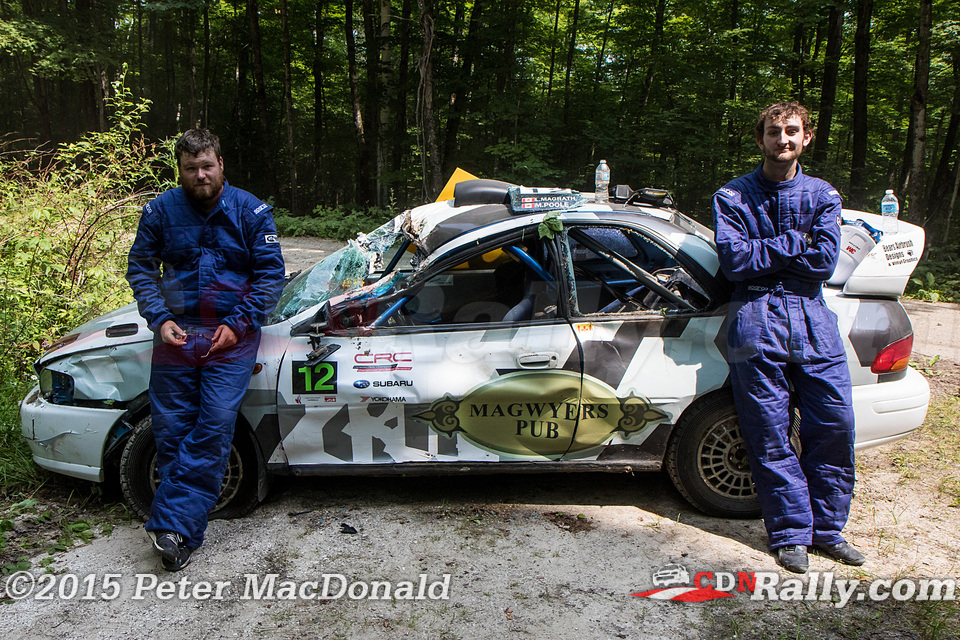
Continuing with coverage of the regional Ontario Provincial Rally Championship saw Sylvain Vincent and Dominique Cyr bring home the win with only 17 seconds lead with Martin Donnelly and Angela Cosner trading stage finish wins throughout the day. An unfortunate conflict with a tree hurt Gary Sutherland and Kelly Mathew who were in contention to win the 2WD For this event, the car was not damaged, but with nobody to pull them out they had to wait for help from the sweep team.
I provided CAR 99 support for this event and we helped 6 drivers throughout the day, with only 11 entries that means we put the hook on at least half the field with the Ontario Rally Sweep Team. Good news, no medical support was necessary so my co driver Scott
Black Bear is without a doubt a preview for regional competitors for the National Rally of the Tall Pines with many of the roads shared between the events. Black Bear has a reputation as a “Car Killer” — including my own Car 99 took significant body damage and a hurt power steering system.
One major off saw a competitor with large jump, bounce and then off against a tree. Reminding us again that safety is a must and please – do not try this at home. More coverage from the OPRC team when the video arrives.
Photos are courtesy of the team at CDNRALLY.COM
Three weeks to the Galway Cavendish Forest Rally and we are providing navigational support for the Ontario Rally Sweep Team.
















 cantechit - Technology and IT BLOG